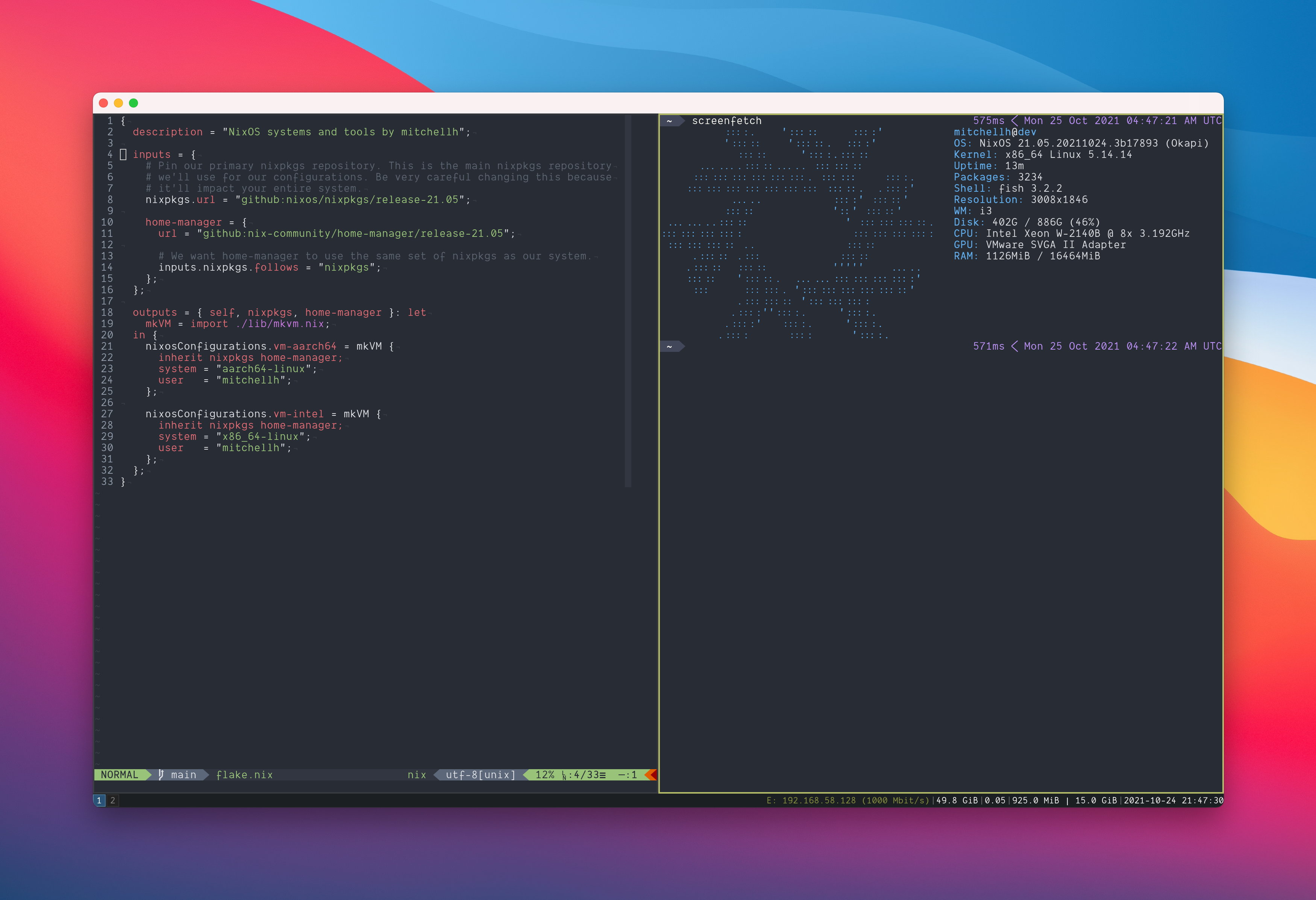
Niri · Noctalia Shell · Doom Emacs · Ghostty · NixOS 25.11
Wayland experience straight outta r/unixporn.
Encrypted secrets that even I can't accidentally leak. AI agents. MacOS <--VMWare--> Wayland clipboard.
mitchell's config fork went overboard.
Installs Xcode CLT, Homebrew, Determinate Nix, clones the repo, and configures your entire Mac before you finish your coffee. Touch ID sudo.
Then niks to rebuild, or vm bootstrap to summon the Linux box.
Pulls NixOS ISO, installs VMWare Fusion, creates a NixOS VM inside VMware Fusion, provisions it over shared folders.
Or, from a configured macOS host: vm bootstrap
Enables WSL, installs a NixOS distribution, applies the flake config. All from an elevated PowerShell prompt.
Headless NixOS with flakes. No GUI.
Niri · Noctalia Shell · Doom Emacs · Ghostty · NixOS 25.11
X11 lost. Niri tiles windows in an infinite scrollable strip (like a toilet paper). Noctalia themes everything from your wallpaper. Edge-navigation passthrough for all editors, terminals, and web browsers.
Nix-managed Doom Emacs as a systemd daemon & Neovim w/ LazyVim (+VSCode mimicing doom emacs, just in case). Rust, Go, Python3 + uv, Node + fnm, and DevOps stack. Starship prompt.
Claude Code and GitHub Copilot from llm-agents.nix; OpenCode from anomalyco/opencode.
sops-nix + sopsidy keep boot-time secrets in an external generated dataset outside git, shared into the VM at /nixos-generated. That dataset now also carries pinned host SSH keys and Touch ID bridge public keys, while runtime tokens stay in Bitwarden/rbw and are injected per-process.
VMware Fusion doesn't do Wayland clipboard. Patched uniclip so copy-paste work across operating systems now.
Some things Nix can't manage. Discord, Spotify, LM Studio, Mullvad VPN. Colemak layout (with right hand shifted 2 cols to the right so it's comfy) via Kanata keyboard remapping with homerowmod. sudo using TouchID.
Full VM lifecycle from your Mac: bootstrap from zero, rebuild over SSH, start, stop, grab IP. DHCP pinned at 192.168.130.3. Shared folders. Docker context forwarding from host MacOS to VM to save the battery.
Tailscale VPN & SSH tunnels for Open WebUI and ActivityWatch between host and guest. VMware NAT with static DHCP reservation.
Disko for declarative disk layout, systemd-boot, greetd for login. GPG-signed commits require TouchID. git-repo-manager to pull wallpapers mostly.
Instead of one massive file per machine — the NixOS starter pack —
every concern is a reusable
aspect: a self-contained slice of
configuration that composes nixos, darwin, and
homeManager options in one place. Hosts just pick which aspects
they need. It sounds obvious when you say it out loud. It took
embarrassingly long to get right.
How the flake assembles
No plaintext secrets, no tracked generated dataset, no .env.example, no "just set these env vars" README. The repo keeps only declarative secret wiring; ~/.local/share/nix-config-generated and the VM age private key live outside git. You could publish the whole repo and it wouldn't matter. (It is published. Hi.)
API keys are fetched from Bitwarden the moment they're needed and scoped to exactly one process. Your shell session never meets OPENAI_API_KEY.
Each host has its own age keypair. The VM can't decrypt macOS secrets. The Mac can't decrypt VM secrets. A compromised machine gets exactly the secrets it was supposed to have and nothing else.
sudo and GPG-commit-sign via Touch ID. Every commit signed with GPG key 247AE5FC6A838272.
VMware Fusion doesn't support Wayland clipboard sharing.
Patched uniclip Go source to add --bind and
UNICLIP_PASSWORD support, compiled it from source through Nix,
and deployed it as managed services on both sides.
Copy on macOS, paste in the VM, and vice-versa.
Encrypted. Automatic. No manual setup after bootstrap.
Everything is a short alias because I'll forget anything longer than
four characters. niks rebuilds whatever system you're on.
vm manages the Linux VM from macOS. That's the whole interface.
VM Lifecycle
| Command | Description |
|---|---|
| vm bootstrap [--redo] | Everything from scratch. --redo destroys what's there first. No confirmation. Be sure. |
| vm switch | Apply config changes (nixos-rebuild switch over SSH) |
| vm up | Start the VM |
| vm down | Graceful shutdown |
| vm ssh [cmd] | SSH into the VM, or run a remote command |
| vm ip | Print the VM's current IP address |
| vm refresh-secrets | Refresh the external generated dataset (age pubkey, pinned host keys, bridge pubkeys, encrypted secrets) |
System Rebuild
| Alias | Description |
|---|---|
| niks | Rebuild & switch — figures out if you're on macOS or NixOS and does the right thing |
| nikt | Build without switching. For the cautious. (Or the recently burned.) |
| Component | NixOS VM | macOS | WSL |
|---|---|---|---|
| Window Manager | Niri / Mango (Wayland) | yabai + skhd | — |
| Terminal | Ghostty, foot | Native Terminal | Windows Terminal |
| Packages | Nix only | Nix + Homebrew | Nix only |
| Editors | Doom Emacs (daemon), Neovim | Doom Emacs, Neovim | Neovim |
| GUI Apps | LibreWolf, Chromium | Via Homebrew casks | — |
| Docker | Via SSH to macOS | OrbStack | Docker Desktop |
| Clipboard | Uniclip client | Uniclip server | — |
| AI Agents | OpenCode + 20+ via llm-agents | OpenCode, Claude, Copilot | OpenCode + 20+ via llm-agents |
Every aspect validated independently because I've been burned by "it works on my machine" and my machine is three machines. Flake eval, host schemas, Home Manager integration, platform-specific config — all checked before any switch.
Stable channel for sanity, unstable for impatience. Everything pinned in flake.lock so "it worked yesterday" is a verifiable claim.